
Robux Tax Calculator, accurate to Roblox's 30% fee.
Work out what you actually receive after Roblox's marketplace fee in seconds. Built for creators, UGC sellers, and gamepass owners who need the correct number fast.
Robux Tax Calculator: Understanding Roblox's 30% Marketplace Fee
Anyone who has priced a gamepass, listed a UGC accessory, or set up a donation booth in a Roblox experience runs into the same surprise sooner or later. The buyer pays one number and the seller receives something smaller. That gap is Roblox's marketplace fee, a flat 30 percent cut the platform takes from nearly every Robux transaction between players. This Robux tax calculator does that subtraction for you instantly, whether you are pricing a gamepass, checking a trade offer, or working out what a limited item will actually net you once Roblox takes its share.
The calculator above works in two directions. Switch to Before Tax mode and enter the price you plan to charge, and you will see exactly how much lands in your account once the fee comes out. Switch to After Tax mode when you already know the amount you need in hand, say a commission where you want exactly 500 Robux to show up, and the tool works backward to tell you what price to list. Both directions run on the same math Roblox applies internally: sellers keep 70 percent, Roblox keeps 30 percent.
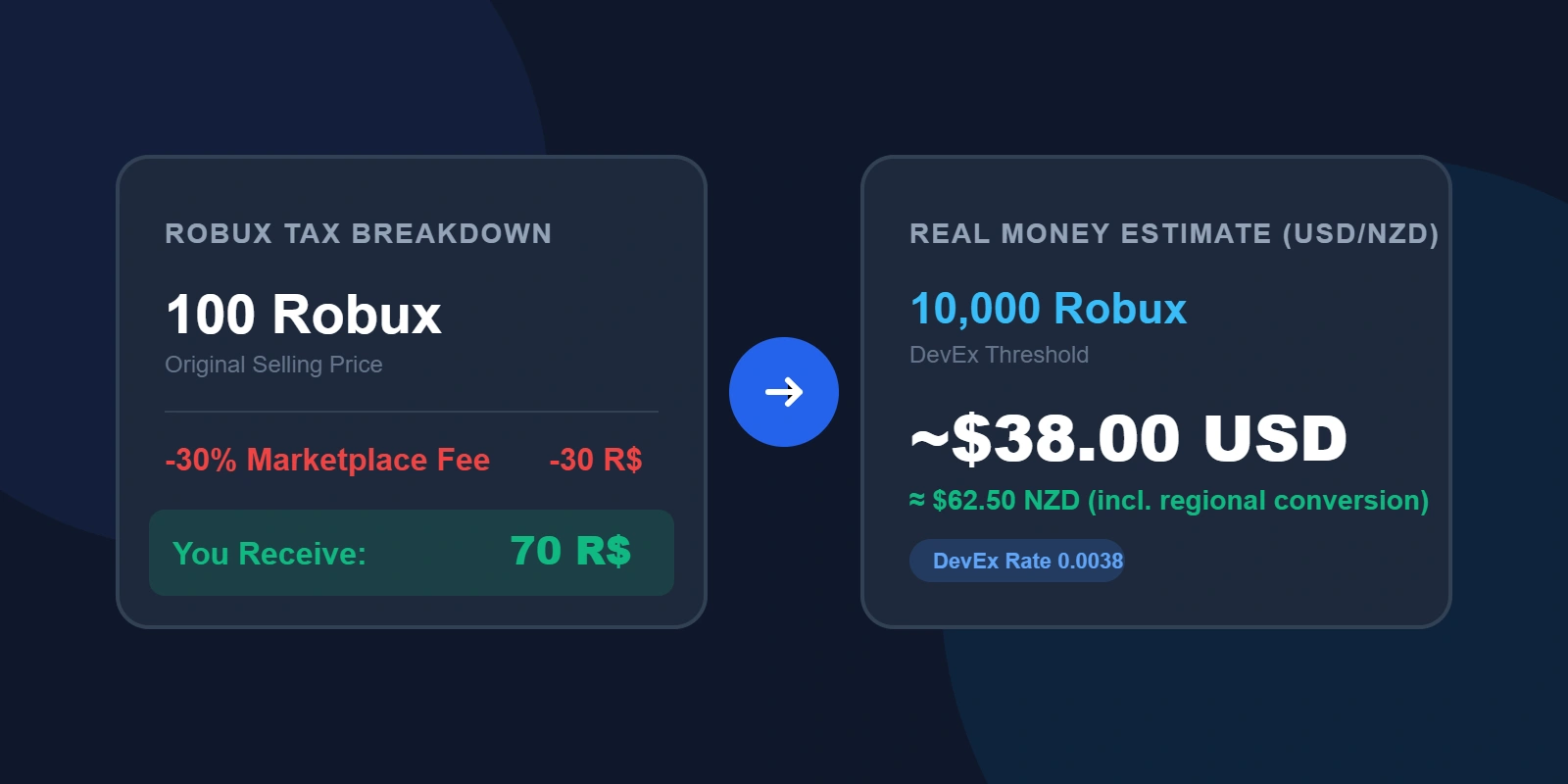
What the 30 Percent Robux Tax Actually Covers
The marketplace fee applies to gamepasses, developer products, clothing and other UGC accessories, private server subscriptions, and Robux attached to trades. It does not apply to Robux you buy directly with real money through the Roblox website or an app store. At that point there is no marketplace fee, though your card issuer, PayPal, or the app store itself may add its own local tax at checkout, which is a separate matter covered further down.
Using a Gamepass Tax Calculator to Price Passes Correctly
Gamepasses are the most common place this trips people up. A creator wants a pass to bring in a certain number of Robux, so they list it at that exact figure, then wonder why the sales report shows less. Roblox applies the same 30 percent fee to gamepasses as it does to everything else on the marketplace, so a pass listed at 100 Robux nets the creator 70. If you know the amount you want to actually receive, switch this Robux gamepass tax calculator to After Tax mode, enter your target, and list the higher number it gives you instead.
PLS Donate and Similar Donation Games
Donation experiences like PLS Donate route gifts through a gamepass purchase, so Roblox's standard 30 percent fee applies first. On top of that, the game's creator typically takes an additional cut, commonly around 10 percent, for running the donation booth and infrastructure. Combined, that brings the total reduction to roughly 40 percent rather than 30. Donate 1,000 Robux inside PLS Donate and the recipient's pending balance shows closer to 600, not 700. This calculator is set to Roblox's baseline 30 percent fee, so if you are planning specifically around a donation game, add that extra creator cut on top of what the tool shows you.
Robux Before Tax and After Tax, What the Numbers Actually Mean
Robux before tax is the sticker price, the number a buyer sees and pays. Robux after tax is what actually reaches the seller's balance once Roblox's cut is removed. People searching for a Robux calculator with tax built in are usually trying to avoid doing this subtraction by hand every time they list something new, especially since Roblox rounds each transaction rather than applying the percentage as a clean fraction, which matters more once you are selling in bulk.
Common Robux Amounts, Before and After the 30% Fee
For a quick check without typing anything into the calculator above, here is what the 30 percent marketplace fee works out to at typical gamepass and item price points. All figures use the standard 70 percent payout rate.
| Robux before tax | Marketplace fee (30%) | Robux you receive |
|---|---|---|
| 50 | 15 | 35 |
| 100 | 30 | 70 |
| 250 | 75 | 175 |
| 500 | 150 | 350 |
| 1,000 | 300 | 700 |
| 5,000 | 1,500 | 3,500 |
| 10,000 | 3,000 | 7,000 |
These numbers scale linearly, so doubling the price before tax doubles both the fee and the payout. For anything not in this table, the calculator above handles any amount instantly, including working backward from a target payout to the price you need to list.
Is There a Robux Tax Calculator Discord Bot?
A handful of Discord servers built around Roblox trading and development have slash commands or small bots that run this same 70/30 math directly in chat. None of them are official Roblox tools, and their accuracy depends entirely on whoever built and maintains that particular bot, so figures can drift out of date if the fee structure ever changes. A web based calculator like this one avoids that problem since it does not rely on a bot staying online or getting updated.
Robux Tax for Creators Outside the US, Including the Philippines
The 30 percent marketplace fee is identical no matter where a creator or buyer is located, the Philippines, the United States, or anywhere else, because the fee is calculated Robux to Robux rather than tied to local currency. A Filipino UGC seller listing a shirt for 200 Robux keeps the same 140 Robux a US seller would keep on the same listing. There is no separate regional tax layer inside the Roblox marketplace itself.
What differs by country is what happens later, if a creator eventually cashes Robux out through Roblox's DevEx program. That payout converts to US dollars regardless of the creator's home country, so a Philippine based developer receives the same dollar figure per Robux as anyone else, before their bank or payment provider applies its own conversion into pesos. Any conversion or transfer fees on that final step come from local banking arrangements, not from Roblox's marketplace fee. It is worth checking your bank's foreign currency handling separately, since that fee sits entirely outside what this calculator covers.
Is the Robux Marketplace Fee the Same as Sales Tax?
No, and this is worth separating clearly. The marketplace fee is Roblox's own revenue share, the cut it keeps for hosting the platform and processing every transaction between players. A real sales tax, VAT, or GST charged when someone purchases Robux with actual money is a completely different thing, applied by Apple, Google, or Roblox's own billing system depending on the buyer's region and local law. This Robux sales tax calculator only handles the marketplace fee, since that is the number that affects what creators and sellers actually receive.
Has the Robux tax rate changed for 2025 or 2026?
No. The marketplace fee has stayed at 30 percent for gamepasses, developer products, and marketplace sales since it was standardized across all account types in April 2020. It remains 30 percent through 2025 and into 2026 according to Roblox's own Creator Hub documentation, though it is always worth checking that page directly since fee structures can change.
How much Robux is covered after tax on a 100 Robux item?
Seventy Robux reaches the seller. Roblox keeps the remaining 30 as its marketplace fee, and this scales proportionally at any price point.
Does the 30 percent fee apply to Robux included in a trade?
Yes. Robux attached to a trade offer is taxed at the same 30 percent rate, so 1,000 Robux offered in a trade results in the other party receiving roughly 700.
Was the Robux tax rate different in 2024?
No, 2024 used the same 30 percent marketplace fee as 2025 and 2026. The rate has not moved since the April 2020 change that standardized it across all account types, so figures from a 2024 calculation still hold true today.
Does the tax apply when I buy Robux, or only when I sell something?
Only on marketplace transactions between players, meaning gamepasses, developer products, UGC items, and trades. Buying Robux directly from Roblox with real money is not subject to the marketplace fee, since there is no seller on the other side of that purchase.
Does the calculator work for large amounts like 10,000 or 100,000 Robux?
Yes, the same 70 percent payout rate applies at any size. Type any figure into either mode above and it recalculates instantly, and the reference table further up shows the pattern scaling from 50 Robux up to 10,000.
This calculator is an independent tool and is not affiliated with, endorsed by, or sponsored by Roblox Corporation. Marketplace fee figures are based on Roblox's publicly published Creator Hub documentation and are subject to change without notice. Always confirm current rates on Roblox's official site before making pricing decisions.